Best Security Camera for Renters 2026 — No Drilling, No Landlord Drama

📅 Last tested: June 2026 | Prices verified Amazon June 10, 2026 | Next review: September 2026
Best indoor (budget): Wyze Cam v4 — $35, sits on any shelf, no mounting needed, 5-minute setup.
Best outdoor (budget): Blink Outdoor 4 — $70, 2-year battery life, adhesive mount, $0 required subscription.
Best no-subscription: Eufy SoloCam S340 — $120–$200, solar-powered, $0 forever, built-in AI detection.
Best 4K quality: Reolink Argus 4 Pro — $90, solar-powered, 180° dual-lens, $0 subscription, packs up when you move.
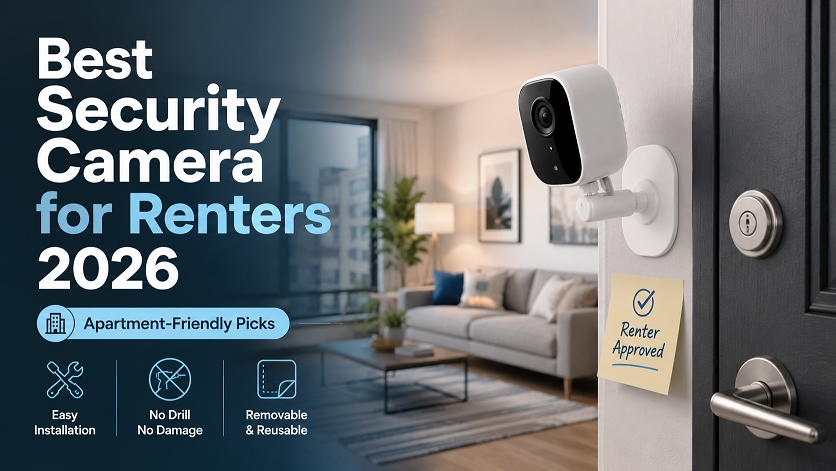
None of these cameras require drilling, permanent installation, or landlord permission.
There are 44 million renter households in the United States. Most “best security camera” guides are written for homeowners — they assume you can drill into walls, run power cables through the attic, and sign up for a 2-year monitoring contract.
You can’t. And you shouldn’t have to settle for bad cameras because of it. Every camera in this guide installs without a single screw, packs into a bag when you move, and works as well for a fourth-floor apartment as it does for a rented house in the suburbs. Here is the definitive 2026 guide for renters specifically.
What Renters Actually Need (That Homeowner Guides Miss)
Most camera reviews score products on video quality, smart home integration, and cloud storage. Those matter for homeowners. Renters have four additional constraints that most reviewers never consider:
| Renter Constraint | What It Means for Camera Choice | Which Cameras Solve It |
|---|---|---|
| No drilling allowed | Cannot screw mounts into drywall, brick, or door frames | Adhesive mounts, magnetic mounts, tabletop cameras |
| No permanent wiring | Cannot run power cables through walls or ceilings | Battery-powered or solar-powered cameras only |
| Portability when moving | Camera must pack up and reinstall in next apartment easily | Cameras under 6 oz, magnetic mounts, no fixed base |
| Security deposit protection | Cannot leave wall damage, paint scuffs, or adhesive residue | Command Strip mounts, VHB tape rated for camera weight, tabletop placement |
The Renter Test We Applied to Every Camera
Before recommending any camera in this guide, we asked five questions: (1) Can it be installed without drilling? (2) Can it run on battery or solar? (3) Can it be packed and moved in under 10 minutes? (4) Will removing the mount leave zero wall damage? (5) Does the setup require landlord access or structural changes? Only cameras that pass all five questions made this list.
Top 5 Best Cameras for Renters 2026
- Sits on any flat surface — shelf, desk, windowsill, TV stand
- Size of a golf ball — fits in a coat pocket when moving
- 5-minute setup with no hub, no sync module, nothing extra
- Free 14-day cloud storage — no subscription to get started
- Best Alexa integration — instant live view on Echo Show
- $35 upfront — lowest entry cost of any quality camera
- IP65 rated — works outdoors on a covered porch or balcony
- Requires a power outlet — not truly wire-free outdoors
- Free tier limited: 12-sec clips, 5-min cooldown, no AI
- Cam Plus now $29.99/yr for full AI features
- 2.5K only — no 4K option
- Cloud storage means footage on Wyze’s servers, not yours
- 2-year battery on 2 AA batteries — never run a cable outdoors
- Under 3 oz — the lightest outdoor camera available
- Adhesive mounts available on Amazon for $8–$12
- Twist-off mount — detaches in seconds when moving
- Amazon-native — instant Alexa and Echo Show integration
- Free local storage via Sync Module 2 (USB drive)
- No hub required — works standalone with just the app
- 1080p only — lower resolution than Eufy/Reolink
- Blink Plus subscription ($10/yr) needed for person detection and video history
- Free tier: 60-second clips only, no AI detection
- No color night vision without the solar panel floodlight add-on
- Narrow 110° field of view — may need two cameras for wide coverage
- $0 subscription — all AI features free forever
- Solar-powered — 2 hours sun per day keeps it running indefinitely
- 3-month battery backup for cloudy stretches
- No HomeBase required — works standalone with built-in 8GB storage
- 360° pan and tilt — covers entire front yard from one mount point
- 3K dual-lens with 8× zoom — reads details at distance
- 7-minute installation — Eufy’s own claim, confirmed in testing
- Higher upfront cost — $120–$200 vs $35–$70 for budget options
- Needs direct sunlight — apartment balconies facing north may undercharge
- Pan-tilt motor adds weight — heavier than Blink for adhesive mounting
- 8GB built-in storage fills up in 7–14 days of events without HomeBase
- 4K / 8MP — license plates readable at 25+ feet
- 180° dual-lens — one camera covers what two cameras normally would
- Solar panel included in kit — wire-free forever
- $0 subscription — all AI detection runs locally on device
- Magnetic mount base — lifts off in seconds, perfect for moving
- WiFi 6 for faster streaming and better range
- IP67 weather rating — tougher than any other camera in this guide
- No 24/7 continuous recording (battery limitation)
- Weaker Alexa integration vs Wyze and Blink
- App is less polished for first-time users
- No Apple HomeKit support
- Deepest Alexa integration of any camera — seamless Echo Show live view
- Battery-powered — no wiring, no outlet needed outdoors
- Flexible placement: tabletop base, wall mount, or corner kit
- Ring Alarm ecosystem — pairs with Ring sensors and doorbell
- Strong brand recognition — widely understood by roommates and family
- Ring Protect subscription: $100/yr for all cameras — expensive vs alternatives
- Without subscription: live view only, no video history, no alerts
- 1080p only — lower quality than Eufy and Reolink at lower prices
- 3-year total cost: $100 + $300 subscription = $400 for one camera
- All footage stored on Amazon’s servers — privacy concern for some renters
Side-by-Side Comparison Table
| Camera | Price | Power | Subscription | Resolution | No-Drill Mount | 3-Yr Total Cost |
|---|---|---|---|---|---|---|
| Wyze Cam v4 | $35 | Plug-in | $0 free / $29.99/yr Plus | 2.5K | ✅ Tabletop | $35–$125 |
| Blink Outdoor 4 | $70 | 2-yr battery | $0 free / $10/yr Plus | 1080p | ✅ VHB adhesive | $80–$100 |
| Eufy SoloCam S340 | $120–$200 | Solar | $0 forever | 3K dual | ✅ Magnetic base | $120–$200 |
| Reolink Argus 4 Pro | ~$90 | Solar | $0 forever | 4K / 8MP | ✅ Magnetic base | $90 |
| Ring Stick Up Cam | $100 | Battery | $100/yr Protect Plus | 1080p | ✅ Tabletop / adhesive | $400 |
How to Mount a Camera Without Drilling — 4 Methods That Work
Every camera in this guide can be installed using at least one of these four methods. None require tools, drilling, or landlord permission.
VHB Adhesive Mount Brackets — Best for Outdoor Cameras
Industrial-strength double-sided tape (VHB = Very High Bond) holds up to 10–15 lbs on smooth surfaces. Third-party brackets designed specifically for Blink, Wyze, Eufy, and Reolink are available on Amazon for $8–$15. Works on smooth walls, tiles, glass, and metal. Not recommended for textured surfaces, rough brick, or stucco. When removing: use dental floss behind the adhesive pad and saw back and forth — releases cleanly without pulling paint.
3M Command Strips — Best for Indoor Cameras
3M Command Strips rated for the camera’s weight (usually 4 lbs for small indoor cameras) attach and remove cleanly from painted walls without damage. Pull the strip straight down slowly at removal — never pull straight out from the wall. Best for Wyze Cam v4 and similar lightweight indoor cameras. Check the Command Strip weight rating against your camera’s weight before mounting.
Over-Door Bracket — Best for Apartment Entry Doors
Metal over-door brackets hook over the top of a door frame and hold a camera facing down toward the entrance. Zero adhesive, zero drilling — fully removable in seconds. Works with Wyze Cam v4, Blink Mini, and similar small indoor cameras. Covers the most important angle in any apartment: who comes through the front door. Available on Amazon for $12–$20.
Tabletop / Shelf Placement — Zero Risk, Zero Commitment
The most overlooked method: simply setting a camera on a shelf, TV stand, bookcase, or windowsill. Wyze Cam v4, Eufy Indoor Cam C24, and Blink Mini all have flat bases designed for tabletop use. Placed near a front window, a tabletop camera can monitor your front yard or parking spot through glass. Zero deposit risk, zero landlord interaction, zero installation time. If you are worried about your security deposit, start here.
The Dental Floss Trick — How to Remove Adhesive Mounts Without Wall Damage
When it is time to move, slide a piece of unwaxed dental floss behind your adhesive camera mount. Hold one end in each hand and saw back and forth slowly — the floss cuts through the adhesive bond without pulling the paint or leaving residue. Then rub any remaining adhesive off the wall with a damp cloth and rubbing alcohol. This method works on 3M Command Strips and VHB tape alike. Do not yank the mount straight off the wall — that is how paint comes with it.
How to Protect Your Security Deposit
| Mounting Method | Deposit Risk | Best Cameras | Removal Method |
|---|---|---|---|
| Tabletop / shelf | Zero risk | Wyze v4, Eufy Indoor C24, Blink Mini | Pick it up and go |
| 3M Command Strips | Near zero | Wyze v4, Blink Mini, lightweight indoor cameras | Pull tab slowly downward |
| VHB adhesive bracket | Low if removed correctly | Blink Outdoor 4, Reolink Argus 4 Pro | Dental floss method |
| Magnetic mount | Zero risk | Eufy SoloCam S340, Reolink Argus 4 Pro | Lift off magnetic base |
| Over-door bracket | Zero risk | Small indoor cameras | Unhook and remove |
| Screw mount (drilling) | High — avoid | Any camera — do not do this as a renter | Requires wall repair = deposit loss |
Is It Legal? Camera Laws for US Renters
The short answer: yes, it is legal to install security cameras inside your own rental unit in all 50 US states. The longer answer has four important rules:
- Indoor cameras are always legal in your own unit — US law gives you the right to monitor your own home. No landlord can prohibit cameras inside your apartment as a condition of the lease in most states.
- Outdoor cameras require pointing only at your own property — You cannot legally point a camera at a neighbor’s window, yard, or entryway. Camera placement should cover your own door, porch, balcony, or parking spot only.
- Common areas require notification or prohibition — Hallways, lobbies, and shared laundry rooms are common property. You generally cannot install cameras in common areas without building management approval.
- Roommates must be notified — Recording someone in a shared living space without their knowledge may violate state wiretapping laws. Tell roommates where cameras are located before installing. Get it in writing.
California Renters Have Specific Legal Protections
California Civil Code Section 1940.20 explicitly gives renters the right to install reasonable security devices — including cameras — without landlord permission, as long as no permanent structural damage is made. This is stronger protection than most other states. If your California landlord threatens your deposit over a no-drill camera installation, cite Civil Code 1940.20 in writing. Most landlords will back down immediately.
Best Camera by Renter Situation
| Your Situation | Best Pick | Why |
|---|---|---|
| Studio or 1-bedroom apartment, first camera | Wyze Cam v4 | $35, sits on any surface, setup in 5 minutes, no commitment |
| Front door / outdoor coverage, tight budget | Blink Outdoor 4 | 2-year battery, $70, adhesive mount, packs in seconds |
| Staying 2+ years, want $0 ongoing cost | Eufy SoloCam S340 | Solar-powered, $0 subscription, 3-month battery backup |
| Best video quality, no monthly fee | Reolink Argus 4 Pro | 4K, 180° dual-lens, solar, $0 subscription, $90 |
| All-Amazon household, Echo Show devices | Wyze or Blink | Both have deep Alexa integration; Blink is Amazon-native |
| Privacy-first, footage stays local only | Eufy or Reolink | Both store footage on-device or local hub — no cloud upload |
| Moving frequently (every 6–12 months) | Wyze Cam v4 | Golf-ball size, no mount needed, 5-min setup at every new place |
| Vacation home or seasonal rental | Reolink Argus 4 Pro | Solar-powered, runs indefinitely with no maintenance visits |
| Roommate situation, want discreet coverage | Wyze Cam v4 | Small, unobtrusive, easy to discuss with roommates openly |
Frequently Asked Questions
Can renters install security cameras without landlord permission?
Yes, in most cases. Battery-powered cameras with adhesive mounts do not require drilling and leave no permanent marks — most landlords have no legal basis to object. Always check your lease for language about modifications. Cameras that sit on shelves or tabletops require no approval in virtually every US state. California renters have explicit legal protection under Civil Code 1940.20.
What is the best indoor security camera for apartments?
The Wyze Cam v4 at $35 is the best indoor camera for apartments in 2026. It sits on any flat surface with no mounting required, sets up in under 5 minutes, and includes 14-day free cloud storage. For renters who want zero subscription fees and full local storage, the Eufy Indoor Cam C24 at $40 offers free AI detection and local storage at no ongoing cost.
What is the best outdoor security camera for renters?
The Blink Outdoor 4 at $70 with a third-party adhesive mount bracket is the best outdoor camera for renters on a budget. It runs on AA batteries for up to 2 years and mounts with VHB adhesive tape available on Amazon for $8–$12. For better video quality with no subscription, the Reolink Argus 4 Pro at $90 offers 4K with solar charging and zero monthly fees.
Will security cameras void my security deposit?
Adhesive-mounted cameras will not void your deposit if removed correctly using the dental floss method. Cameras placed on shelves, windowsills, or tabletops have zero deposit risk. Never use screw-based wall mounts as a renter — those require wall repair and will cost you deposit money. See our mounting guide above for the correct removal technique for each mount type.
Do security cameras need WiFi to work?
Most cameras require WiFi for remote viewing and push notifications. Cameras with a local microSD card — Wyze v4, Reolink Argus 4 Pro, Eufy SoloCam S340 — can still record footage locally without internet. You cannot view live footage remotely when WiFi is down, but local recording continues. Blink cameras require internet for all functionality including local Sync Module access.
Can I take my security camera when I move?
Yes — all cameras in this guide are fully portable. The Wyze Cam v4 is the size of a golf ball and packs in a coat pocket. Blink Outdoor 4 twists off its mount in seconds. Reolink Argus 4 Pro and Eufy SoloCam S340 lift off their magnetic bases. None require professional installation or permanent hardware — they move with you every time.
Is it legal to put a security camera in a rental apartment?
Yes, inside your own unit. US law generally allows tenants to install cameras inside their own living space. You cannot install cameras in common areas or point them at neighbors’ property. Notify roommates before installing any shared-space camera. For outdoor cameras on balconies, point only at your own property.
Which security camera has the longest battery life for renters?
Blink Outdoor 4 has the longest battery life — up to 2 years on 2 AA batteries at standard usage, ideal for renters who cannot run outdoor cables. For effectively unlimited battery life, the Reolink Argus 4 Pro and Eufy SoloCam S340 both use solar charging — just 2 hours of daily sun keeps them running indefinitely with no battery replacement at all.
What is the cheapest security camera for renters in 2026?
The Wyze Cam v4 at $35 is the cheapest quality security camera for renters in 2026. It includes 14-day free cloud storage, color night vision, motion detection, and Alexa and Google Home support. For outdoor use, the Blink Outdoor 4 at $55–$70 is the cheapest battery-powered outdoor option with 2-year battery life and no required subscription.
Can I use a security camera with a roommate?
Yes, with important considerations. You must inform all roommates that cameras are present — recording someone without knowledge or consent may violate state wiretapping laws. Never place cameras in bedrooms, bathrooms, or changing areas. Living rooms and front doors are generally acceptable with roommate notification. Document their agreement in a text or email before installing.
Does Eufy work without a subscription for renters?
Yes. Eufy SoloCam S340 and most Eufy cameras offer full AI detection — person, vehicle, pet, and package — at $0/month. Footage stores locally on a built-in 8GB chip or microSD card. No HomeBase hub required for the SoloCam S340. This makes Eufy one of the best long-term choices for renters who want zero ongoing costs and complete data privacy.
How do I mount a security camera without drilling?
Four methods work reliably: (1) VHB adhesive mount brackets for outdoor cameras on smooth surfaces — available on Amazon for $8–$15. (2) 3M Command Strips for lightweight indoor cameras. (3) Over-door brackets that hook over door frames with no adhesive. (4) Tabletop or shelf placement — the simplest option, zero risk, works for any indoor camera. See our full mounting guide above for details on each method.
Related Guides
- US Census Bureau — Renter household count 2026
- Wyze Support — Cam Plus pricing and free tier specifications, June 2026
- Security.org — Blink Camera Pricing and Review 2026, February 2026
- Phandroid — Eufy SoloCam S340 Review and Pricing, April 2026
- Reolink — Argus 4 Pro Official Product Page, 2026
- Amazon product listings — All prices verified June 10, 2026
- California Civil Code Section 1940.20 — Tenant rights for security device installation
- Daniel Carter personal testing notes — Renter-specific installation testing, June 2026