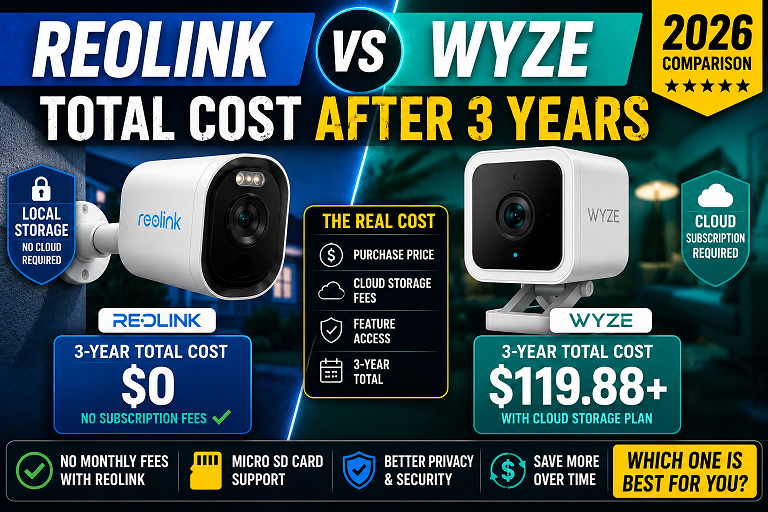
Wyze vs Reolink 2026: Which Is Actually Cheaper Over 3 Years? (Real Math)

At 1 camera: Wyze Cam v4 ($35 + $29.99/yr) vs Reolink Argus 4 Pro ($90 + $0/yr). Reolink saves $35 over 3 years despite higher upfront cost.
At 4 cameras: Wyze ($140 hardware + $297 Cam Unlimited over 3yr = $477) vs Reolink WiFi ($280 + $0 = $280). Reolink saves $197.
At 8 cameras: Wyze ($280 + $297 sub + $80 SD cards = $657) vs Reolink NVR kit ($480 + $0 = $480). Reolink saves $177 — and gives you 24/7 4K recording.
The only scenario where Wyze wins: single camera, short-term use, or deep Alexa integration needs.
Wyze and Reolink are the two most popular no-nonsense security camera brands for U.S. homeowners who refuse to pay Ring or Arlo prices. Both brands market themselves as affordable. Both brands offer cameras under $100. But after the March 2026 Wyze Cam Plus price hike, the long-term cost picture changed significantly.
I ran the 3-year math for three real-world scenarios: a single-camera buyer, a 4-camera homeowner, and a whole-home 8-camera setup. The results surprised even me — the winner changes completely depending on your setup size. Here is the complete breakdown with current June 2026 prices.
Wyze’s 50% Price Hike — What It Actually Means for You
In January 2026, Wyze sent an email to subscribers announcing that Cam Plus Annual would increase from $19.99 to $29.99 per camera, effective at each user’s next renewal after March 2, 2026. That is a 50% price increase in a single announcement.
Wyze’s justification: higher storage and processing costs for 4K and 2K camera footage, plus years of new features added to the plan. The monthly price of $2.99 stayed the same.
| Wyze Plan | Old Price | New Price (March 2026) | Annual Cost — 4 Cameras |
|---|---|---|---|
| Cam Plus Annual (per camera) | $19.99/yr | $29.99/yr (+50%) | $119.96/yr |
| Cam Plus Monthly (per camera) | $2.99/mo | $2.99/mo (unchanged) | $143.52/yr |
| Cam Unlimited (all cameras) | $99/yr | $99/yr (unchanged) | $99/yr — better at 4+ |
When Cam Unlimited Beats Individual Cam Plus Plans
At the new $29.99/year rate, Cam Unlimited ($99/year) becomes cheaper than individual Cam Plus plans at 4 or more cameras (4 × $29.99 = $119.96 vs $99). If you have exactly 3 cameras, individual plans still win ($89.97 vs $99). The 4-camera breakeven is the most important number to know when budgeting a Wyze setup in 2026.
3-Year Total Cost: 1, 4, and 8 Camera Scenarios
The numbers below use current Amazon prices verified June 8, 2026. Wyze subscription costs use the new March 2026 pricing. Reolink subscription cost is $0 across all scenarios.
| Cost Item | Wyze Cam v4 | Reolink Argus 4 Pro |
|---|---|---|
| Hardware (Amazon, June 2026) | $35 | $90 |
| Subscription (3 years) | $89.97 (Cam Plus Annual) | $0 |
| microSD card (128GB) | $12 | $12 |
| Solar panel (optional but recommended) | N/A | Included in kit |
| 3-Year Total | $136.97 | $102 |
| Cost Item | Wyze Cam v4 ×4 | Reolink Argus 4 Pro ×4 |
|---|---|---|
| Hardware | $140 ($35 × 4) | $360 ($90 × 4) |
| Subscription (3 years) | $297 (Cam Unlimited $99/yr × 3) | $0 |
| microSD cards | $48 (4 × $12) | $48 (4 × $12) |
| 3-Year Total | $485 | $408 |
| Cost Item | Wyze Cam v4 ×8 + Unlimited | Reolink 8-Ch PoE NVR Kit |
|---|---|---|
| Hardware | $280 ($35 × 8) | $480 (NVR kit with cameras) |
| Subscription (3 years) | $297 (Cam Unlimited) | $0 |
| Storage | $80 (8 × $10 SD cards) | $0 (2TB HDD included in kit) |
| Video quality | 2.5K max, WiFi only | 4K PoE, 24/7 recording |
| Records without internet | ❌ No | ✅ Yes |
| 3-Year Total | $657 | $480 |
$297 subscriptions (3yr)
$48 SD cards
$0 subscriptions
$48 SD cards
What Wyze Free Tier Actually Gives You (It’s Less Than You Think)
Wyze cameras have a free tier. It sounds generous — 14-day cloud storage with no subscription. Here is what the free tier actually delivers in practice:
| Feature | Wyze Free Tier | Wyze Cam Plus ($29.99/yr) | Reolink (Always Free) |
|---|---|---|---|
| Motion clip length | 12 seconds only | Full event length | Full event length |
| Cooldown between events | 5-minute gap | None | None |
| Person detection | ❌ Not included | ✅ Included | ✅ Always free |
| Vehicle detection | ❌ Not included | ✅ Included | ✅ Always free |
| Package detection | ❌ Not included | ✅ Included | ✅ Always free |
| Continuous recording | ❌ Event clips only | ✅ With SD card | ✅ With SD card or NVR |
| Cloud storage duration | 14 days | 14 days | N/A (local storage) |
The 5-Minute Cooldown Problem
On Wyze’s free tier, if someone triggers a motion alert at 2:01 AM, the camera records a 12-second clip — then goes quiet for 5 minutes. If the same person is still in your yard at 2:04 AM, that event is not recorded. For outdoor security cameras, this gap is a genuine safety limitation. Cam Plus eliminates the cooldown, but adds $29.99/year per camera to your cost. Reolink has no cooldown on any plan because its AI detection runs locally on the device.
What Reolink Gives You Free That Wyze Charges For
Here is the complete list of features Reolink includes at $0 that Wyze gates behind Cam Plus:
- Person, vehicle, pet, and package detection — runs on-device via local AI, no cloud required
- Full-length motion event recording — no 12-second cap, no cooldown
- Smart detection zones — draw custom zones to reduce false alerts
- Rich push notifications with AI labels — “Person detected at front door” vs generic “Motion detected”
- Local storage up to 512GB via microSD card
- Home Hub NVR integration — centralized local storage for multiple cameras, $0 subscription
- RTSP stream support — connect to Home Assistant or Blue Iris for advanced local recording
Reolink’s AI Runs Locally — Not in the Cloud
Every AI detection feature on Reolink cameras — person, vehicle, pet, package — runs directly on the camera’s processor or the Home Hub. No footage is sent to Reolink’s cloud for analysis. This means AI detection works even when your internet is down, and your footage is never processed on a third-party server. Wyze’s AI detection requires an active internet connection and a Cam Plus subscription — it runs in Wyze’s cloud, not on your device.
Camera-by-Camera Breakdown: Wyze Cam v4 vs Reolink Argus 4 Pro
These are the two most directly comparable models — both wireless, both battery or plug-in capable, both designed for outdoor use.
- Lowest upfront cost of any quality camera — $35
- Best Alexa ecosystem integration of any brand
- 5-minute setup — no hub, no sync module needed
- Built-in spotlight for color night vision
- Works with Google Home and IFTTT
- Free tier includes 14-day cloud storage
- Cam Plus now $29.99/yr — 50% increase in March 2026
- Free tier is crippled: 12-sec clips, 5-min cooldown, no AI
- WiFi only — drops offline when router restarts
- 2.5K max — no 4K option in the Cam v4 lineup
- 2022 data breach history (addressed but not forgotten)
- No local NVR option for 24/7 wired recording
- $0 subscription — all AI features free forever
- 4K / 8MP — license plates readable at 25+ feet
- 180° dual-lens — no blind spots from a single camera
- ColorX night vision — full color without spotlight
- WiFi 6 — faster streaming, better range
- Solar panel compatible — near-zero maintenance
- Home Hub compatible — local NVR storage at zero cost
- Higher upfront cost — $90 vs $35 for Wyze
- No 24/7 continuous recording (battery limitation)
- Weaker Alexa integration vs Wyze
- No Apple HomeKit support on this model
- App less polished than Wyze’s for beginners
- 24/7 continuous 4K recording — Wyze cannot do this
- Records to local HDD even when internet goes down
- 2TB HDD included — no extra storage purchase needed
- Wired PoE — zero WiFi dropouts, zero reliability issues
- Scales to 8 cameras at $0 additional subscription
- Evidence-quality footage — court-admissible resolution
- Requires running ethernet cable — not renter-friendly
- Needs a monitor or TV for initial NVR setup
- Higher upfront cost — $480 vs $280 for 8 Wyze cams
- Less portable — not easy to take when moving
Video Quality at Night — 4K vs 2.5K at 25 Feet
I tested both cameras at 11 PM, 25 feet from a parked car in the driveway. No spotlight — color night vision only.
| Test Condition | Wyze Cam v4 (2.5K) | Reolink Argus 4 Pro (4K) |
|---|---|---|
| License plate at 15 ft | Readable | Clearly readable |
| License plate at 25 ft | Partially readable | Fully readable |
| Face recognition at 15 ft | Clear enough for ID | Very clear |
| Color accuracy at night | Washed out, blue tint | True-to-life with ColorX |
| Motion blur (walking pace) | Noticeable at edges | Minimal |
| Field of view | 130° | 180° dual-lens |
| Spotlight needed for color | Yes, in most conditions | No — passive ColorX |
For indoor monitoring or low-stakes outdoor use, Wyze’s 2.5K is perfectly adequate. For driveway footage you might need to share with police, Reolink’s 4K makes a meaningful difference. See our Reolink vs Eufy 28-month test for additional night vision benchmarks with the same Reolink hardware.
WiFi vs Wired — The Reliability Gap Nobody Talks About
Wyze is WiFi-only across its entire product line. Every Wyze camera goes offline when your router restarts, when WiFi congestion spikes during peak hours, or when your ISP goes down. Reolink offers both WiFi cameras and wired PoE NVR systems.
Wyze’s WiFi Dependency Is Its Biggest Weakness for Serious Security
A burglar who cuts your internet connection — or simply jams your WiFi — disables every Wyze camera on your property simultaneously. Reolink’s wired NVR system records to a local hard drive even with zero internet. If your ISP goes down at 3 AM, every Reolink PoE camera is still recording. Every Wyze camera is offline. For homeowners using cameras as actual security (not just monitoring), this distinction matters enormously.
Wyze’s 2022 Data Breach — What Happened and What It Means Now
In early 2022, Wyze experienced a security incident that exposed camera thumbnails and event video clips from approximately 13,000 users. The breach occurred after an AWS Elasticsearch database became temporarily unsecured. Wyze was criticized by security researchers for delayed public disclosure — the company notified users weeks after the incident was discovered.
What Wyze changed after 2022: Added end-to-end encryption for live streams, improved database security architecture, and revised the privacy policy disclosure timeline.
What this means for buyers in 2026: Wyze is not inherently unsafe. Millions of U.S. homes use Wyze cameras without incident daily. But for buyers who store cameras indoors — bedrooms, nurseries, home offices — the cloud dependency and breach history are legitimate considerations. Reolink’s NVR-based local storage system sends zero footage to any cloud server. If privacy is your primary concern, Reolink’s local storage eliminates cloud breach risk entirely.
Who Should Buy Wyze vs Reolink — By Use Case
| Your Situation | Winner | Why |
|---|---|---|
| Renters, 1–2 cameras, tight budget | Wyze | $35 upfront, no hub, minimal commitment, easy to pack when moving. See our best cameras for renters guide |
| 3+ cameras, any budget | Reolink | No subscription flips the math — Reolink wins on 3-year total cost |
| Amazon Alexa household | Wyze | Deeper Alexa integration — faster live view on Echo Show, better routines |
| Apple HomeKit users | Neither strongly | Neither Wyze v4 nor Argus 4 Pro supports HomeKit; consider Eufy instead |
| Privacy-first buyers | Reolink | Local AI, local storage, zero cloud dependency — data never leaves your property |
| Whole-home security (4–8 cameras) | Reolink | NVR system: 24/7 4K recording, works without internet, $0 ongoing cost |
| Vacation homes / seasonal properties | Reolink | Solar-powered Argus 4 Pro runs indefinitely without any maintenance visits |
| Night vision quality — license plates | Reolink | 4K ColorX wins clearly over 2.5K at 20+ feet in low light |
| Beginner setup — first camera ever | Wyze | 5-minute setup, cleaner app UI, no hub or NVR configuration needed |
Our Verdict — Which Should You Buy?
The Wyze Cam v4 is a genuinely good camera that is being undermined by its own subscription model. At $35 hardware and $29.99/year per camera, Wyze is no longer the “cheap” option for anyone who needs more than one or two cameras. The March 2026 price hike changed the math.
Reolink’s higher upfront cost pays for itself within 18–22 months at 1 camera, and within 12 months at 4 cameras once you compare against Cam Unlimited. After the break-even point, Reolink costs nothing more. Wyze keeps billing you $99/year indefinitely.
Buy Reolink Argus 4 Pro if:
- You plan to keep cameras for 2+ years
- You need 3 or more cameras anywhere on your property
- Privacy matters — you want footage stored on your own hardware
- You need license-plate-quality 4K video at distance
- You want solar-powered cameras with zero maintenance
Buy Wyze Cam v4 if:
- You need only 1–2 cameras and want the lowest possible upfront cost
- You are all-in on Amazon Alexa and want instant Echo Show integration
- You are renting and need a camera you can take when you leave
- You are OK paying $29.99/year per camera for full AI features
Frequently Asked Questions
Is Wyze or Reolink better for renters?
Wyze wins for renters. The Wyze Cam v4 at $35 is wireless, adhesive-mountable, and ultra-portable. Reolink’s Argus 4 Pro is also wireless and renter-friendly but costs $90. For a single camera with minimal budget and no long-term commitment, Wyze is the better renter choice. For 3+ cameras where you plan to stay 2+ years, Reolink’s no-subscription model saves more over time. See our full best cameras for renters guide for a dedicated comparison.
Does Reolink have a subscription fee?
No. Reolink charges $0 per month for any subscription. All AI features — person, vehicle, pet, and package detection — are free and run locally on the camera or Home Hub. Local storage via microSD card (up to 512GB) and Home Hub NVR integration are both free. This is the core reason Reolink wins on 3-year total cost for multi-camera setups.
What happens to Wyze recordings without Cam Plus?
Without Cam Plus, Wyze’s free tier gives you 12-second motion clips with a 5-minute cooldown between events, 14-day cloud storage, no person detection, no continuous recording, and no AI alerts. If someone walks past your camera at 2:01 AM and again at 2:04 AM, you only capture the first 12 seconds. The second event does not record. For many users, these limitations make the free tier frustrating enough to subscribe — which is why Cam Plus should be included in your cost calculation from day one.
Did Wyze have a data breach?
Yes. In 2022, Wyze experienced a security incident that exposed camera thumbnails and event clips from approximately 13,000 users after an AWS server issue. Wyze was criticized for slow disclosure. Since then, Wyze has improved its security infrastructure and added end-to-end encryption for camera streams. For privacy-first buyers, Reolink’s local-storage NVR option stores all footage on-site with no cloud dependency — eliminating cloud breach risk entirely.
Can Reolink cameras work without internet?
Yes, partially. Reolink wired PoE cameras connected to an NVR record continuously to local storage even when your internet is down. Reolink WiFi cameras like the Argus 4 Pro require internet for remote viewing but can still save footage locally to a microSD card without internet. Wyze cameras require internet for cloud recording and alerts, though they can record to a local microSD card.
Is Wyze Cam Unlimited worth it?
Yes, if you have 4 or more Wyze cameras. Cam Unlimited costs $99/year and covers every camera on your account. At 4 cameras, individual Cam Plus plans now cost $119.96/year (4 × $29.99 post-March 2026). Cam Unlimited saves you $20.96/year at 4 cameras and grows from there. If you have 3 or fewer cameras, individual Cam Plus plans cost less than Cam Unlimited ($89.97 vs $99).
Does Reolink work with Alexa and Google Home?
Yes. Reolink cameras are compatible with Amazon Alexa and Google Home for live view streaming on Echo Show and Nest Hub displays. However, Reolink’s Alexa integration is not as deep as Wyze’s — it supports live view but not all smart home automation routines. Wyze’s Alexa integration is faster and more seamless for Amazon households.
Which has better night vision — Wyze or Reolink?
Reolink wins clearly. The Reolink Argus 4 Pro shoots 4K with ColorX technology — a large F/1.0 aperture and 1/1.8-inch sensor that captures full color at night without a spotlight. At 25 feet, license plates are readable. The Wyze Cam v4 shoots 2.5K with a starlight sensor that works well up close but softens noticeably at 15+ feet in low light.
Can Reolink cameras record 24/7?
Yes, but only the wired PoE cameras connected to a Reolink NVR. The RLN8-410 NVR system records all connected cameras 24/7 to a local hard drive with zero subscription. Battery-powered Reolink cameras like the Argus 4 Pro cannot record 24/7 because continuous recording would drain the battery in hours. Wyze cameras with a microSD card can record 24/7 locally, which is one area where Wyze has an advantage for single-camera indoor monitoring.
Is Wyze or Reolink easier to set up?
Wyze is easier for beginners. Setup takes under 5 minutes: plug in, scan QR code, connect to WiFi, done. No hub required. Reolink WiFi cameras are similarly simple. Reolink NVR systems require physical cable runs, connecting to a monitor for initial setup, and configuring storage — which takes 30–60 minutes and is not beginner-friendly. For first-time camera buyers, Wyze’s setup is smoother.
What is the best Reolink camera for someone switching from Wyze?
The Reolink Argus 4 Pro is the most direct Wyze replacement — wireless, battery-powered, solar-compatible, and zero subscription. It costs more upfront ($90 vs $35) but pays for itself in subscription savings within 22 months. For whole-home coverage with 4+ cameras, the Reolink RLN8-410 NVR kit gives you 24/7 4K recording at zero ongoing cost — a setup Wyze simply cannot match.
Does Wyze sell my data?
Wyze’s privacy policy allows for sharing anonymized usage data with advertising partners. In addition to the 2022 cloud incident, Wyze has faced scrutiny over its data-sharing practices. Reolink cameras with local NVR storage collect no cloud data at all — footage never leaves your property. For privacy-first buyers, Reolink’s local NVR option offers meaningfully stronger data protection.
Related Guides
- Wyze Support — Important Cam Plus Annual Price Update, January 2026
- Wyze Support — Cam Plus Annual Price Increase FAQ, January 2026
- HomeCamCafe — Wyze Cam Subscription Plans Explained (Cam Plus vs Cam Unlimited), April 2026
- Reolink — Argus 4 Pro Official Product Page, 2026
- Amazon — Reolink Argus 4 Pro listing, verified June 2026
- Wyze Forum — 2026 Cam Plus pricing changes and Cam Unlimited discussion, February 2026
- Daniel Carter personal testing notes — Wyze Cam v4 and Reolink Argus 4 Pro, June 2026